
Short answer: Google now shows more ways to message a business from its Business Profile, including WhatsApp buttons in the local panel and Facebook Messenger links that Google has been adding to some profiles on its own. Each new button is another inbox someone has to watch. Before customers start using them, check what’s on your profile, remove any channel you can’t answer quickly, and send the ones you keep into one shared inbox. An AI agent can handle the first reply there and pass the conversation to your team.
Key Takeaways
- Search Engine Roundtable reported on October 7, 2026 that Google is showing WhatsApp buttons in the local business panel. On October 28, 2026 it reported that Google is emailing businesses to say it is automatically adding Facebook Messenger m.me links to their profiles.
- In June 2026, Google added WhatsApp numbers to many profiles in bulk. Some of those numbers were landlines that can’t receive WhatsApp. A Google product expert reportedly called it a bug.
- Google’s help page says verified businesses can add WhatsApp or a text message number as their chat option. If you add both, only the text message option is shown to customers.
- Meta has changed WhatsApp Business Platform pricing. Since October 1, 2026, each business phone number gets 1,000 free service messages a month, and Meta charges for service messages beyond that.
- A message button nobody answers can cost you more than having no button at all. Pick the channels you can staff, connect them to one inbox, and set clear rules for when the AI hands off to a person.
Open your Google Business Profile today. Under Contact, you may find a WhatsApp number you never added, or a Messenger link that showed up after an email from Google you didn’t read. Search Engine Roundtable has reported both changes over the past few months. So a homeowner with a leaking water heater might message you on an app your office never checks.
This guide covers what changed, what Google’s own help page says, what it can cost, and how a small HVAC, plumbing or property management office can answer every channel without hiring more staff.
What Exactly Did Google Change?
The changes came in steps over several months. Here they are in order.
- June 2026: WhatsApp numbers added in bulk. Search Engine Roundtable reported on June 11, 2026 that Google had automatically added WhatsApp numbers to many Business Profiles over the previous week. Some businesses got email notices. One reported case involved landlines that can’t run WhatsApp, and at first the owners couldn’t remove them. Google product expert Claudia Tomina reportedly confirmed it was a bug. By June 10, users said they could delete the numbers and save the change.
- October 7, 2026: WhatsApp buttons in the local panel. Search Engine Roundtable reported that Google is showing WhatsApp buttons in the local business panel in Search. The button sits next to call, directions, website and share, or takes the place of a chat option. The writer could reproduce it and thought it might roll out fully.
- October 28, 2026: Messenger links added automatically. Search Engine Roundtable reported that Google is emailing businesses to say it is automatically adding Facebook Messenger m.me links to their profiles. An m.me link opens a Messenger chat with your Facebook Page.
- October 29, 2026: Google’s AI messaging expands. Search Engine Roundtable also reported that Google is letting more businesses join its AI-powered messaging. In that feature, a Google AI agent answers routine questions and hands harder ones to the business. It works only for customers whose phones and networks support RCS. Other customers’ texts go to the business’s phone as regular texts.
Most of these reports come from an industry news site, not from Google announcements. Google hasn’t published a single notice explaining all of them. Your profile may not show every change yet.
What Does Google’s Help Page Say About Chat?
Google’s help article, Chat with customers from your Business Profile, sets out the basic rules:
- Only businesses with a claimed and verified Business Profile can add a chat option.
- Chat is available only in select regions, so it may not appear for your profile.
- You can choose WhatsApp (using a WhatsApp click-to-chat URL) or Text message (using a phone number that can receive texts).
- If you add both, only the text message option is shown to customers.
- Several Business Profiles can use the same WhatsApp link, which helps businesses with more than one location.
To edit it, go to your profile, click Edit profile, then Contact, and select Edit next to Chat. Choose WhatsApp or Text message from the dropdown, enter the URL or number, and save.
Why Does This Matter for a Small Service Business?
Each new button splits your leads further. Many offices already handle phone calls, voicemail, business texts, website forms and Facebook messages. Now WhatsApp and Messenger can come straight from Google search results.
Here’s what that looks like in a typical week:
- A homeowner taps WhatsApp on your Google listing on a Sunday night. Nobody at your shop has WhatsApp on a work phone, so the message sits unread.
- A tenant messages your Facebook Page through a Messenger link Google added. The leasing manager only checks Facebook once a week.
- A technician answers a WhatsApp lead from a personal phone. The quote, address and photos never reach your CRM, and the conversation leaves with that technician.
Customers who message you expect a quick reply. A button that leads nowhere reflects badly on you, and a slow reply can send the job to the next business in the results.
What Does WhatsApp Cost Now?
The free WhatsApp Business app and the WhatsApp Business Platform (the version business software connects to) are separate products. If your messaging tool uses the platform, Meta’s pricing applies. According to Meta’s developer pricing page:
- Since July 1, 2025, Meta charges per delivered message. Rates depend on the message type and the recipient’s country code.
- When a customer messages or calls you, a 24-hour customer service window opens. During that window you can send regular replies. Outside it, you can only send pre-approved template messages.
- Since October 1, 2026, each business phone number gets 1,000 free service messages a month. Unused messages don’t roll over, and Meta charges for service messages beyond that.
- Template messages are grouped as marketing, utility or authentication.
- Meta can change prices only on the first day of a quarter.
Most small offices won’t send 1,000 WhatsApp replies a month. Still, ask your software provider how WhatsApp fees are passed through, and check them each quarter.
Which Messaging Channels Should You Keep on Your Profile?
You don’t need every button. Use this table to decide which ones your team can actually answer.
| Channel | How it reaches your profile | What to know | Keep it if… |
|---|---|---|---|
| Text message | You add a textable number under Chat | Google shows this instead of WhatsApp if both are added. US business texting needs carrier registration. | Your main business number can send and receive texts |
| You add a click-to-chat URL, or Google may have added a number | Meta pricing applies when software connects through the WhatsApp Business Platform. Replies are limited outside the 24-hour window. | Your customers already use WhatsApp, such as in multilingual markets | |
| Facebook Messenger | Google is reportedly adding m.me links automatically | Messages go to your Facebook Page inbox | Someone watches your Facebook Page messages every day |
| Google AI messaging | You opt in from the Messages section of your profile | Only works for RCS-capable phones. Google’s agent answers from your profile information. | Your hours, services and service area on the profile are accurate |
How Should You Set This Up? Five Steps
- Check your profile now. Open Edit profile, then Contact. Write down what’s listed under Chat and any social links. Remove any WhatsApp number that points to a landline or a phone nobody answers.
- Pick one primary chat option. For most US home service businesses, that’s your main business number set up for texting. Add WhatsApp only if customers ask for it and you can answer it.
- Bring every channel into one inbox. Don’t answer business messages from personal phones. Use a shared inbox so office staff, owners and on-call techs all see the same conversation history.
- Let AI handle the first reply, with clear limits. Have it greet the customer, collect the name, address and problem, and offer open appointment times. Tell it which topics to avoid. Your AI should collect details and route the conversation, not give repair or safety advice.
- Set handoff rules. Send gas smells, flooding, no heat in freezing weather and similar emergencies to a person right away, and tell the customer to call emergency services when safety is at risk. Do the same for complaints, pricing disputes and anything about tenant rights.
What Do Benefits and Challenges Look Like by Industry?
HVAC
Messages spike on the first cold night of the season. One inbox lets the dispatcher see Google texts, WhatsApp and Messenger in a single list. An AI agent can collect the system type, the symptoms and a photo of the thermostat before a person calls back.
Plumbing
Leaks don’t wait for office hours. If a WhatsApp button shows on your listing, someone has to answer it at 10 p.m. If nobody will, remove it and keep text messaging, which you can pair with missed-call text back and AI replies.
Property management
Prospects and tenants may now use Messenger links Google added to your listing. Keep leasing questions separate from maintenance requests, and send fair housing questions to a trained person. Confirm your leasing message practices with a qualified fair housing professional.
The challenges
- More channels mean more work if they aren’t connected.
- Google may change your profile without asking. The June 2026 bulk WhatsApp additions show why you should check your profile monthly.
- Costs can creep up through per-message fees and add-ons.
- Messaging rules differ by channel. Replying to a customer who messaged you first is different from sending marketing. Confirm consent and opt-out rules for your business with a qualified professional.
What Are the Most Common Mistakes?
- Ignoring Google’s emails. The Messenger and WhatsApp notices were sent by email. Make sure someone reads them.
- Listing a number that can’t receive texts. Google’s help page says the text option needs a number that can receive text messages.
- Answering from personal phones. You lose the history, and the customer relationship goes with the employee.
- Turning on AI with outdated information. AI answers are only as good as the hours, services and FAQs you give it.
- Skipping a test. Message your own listing from a phone that doesn’t have your number saved, and confirm where the message arrives.
EngagePro’s Perspective
Our advice is simple: don’t add a channel you can’t answer, and don’t answer channels in separate places. Here’s how this works in EngagePro, based on what the product does today.
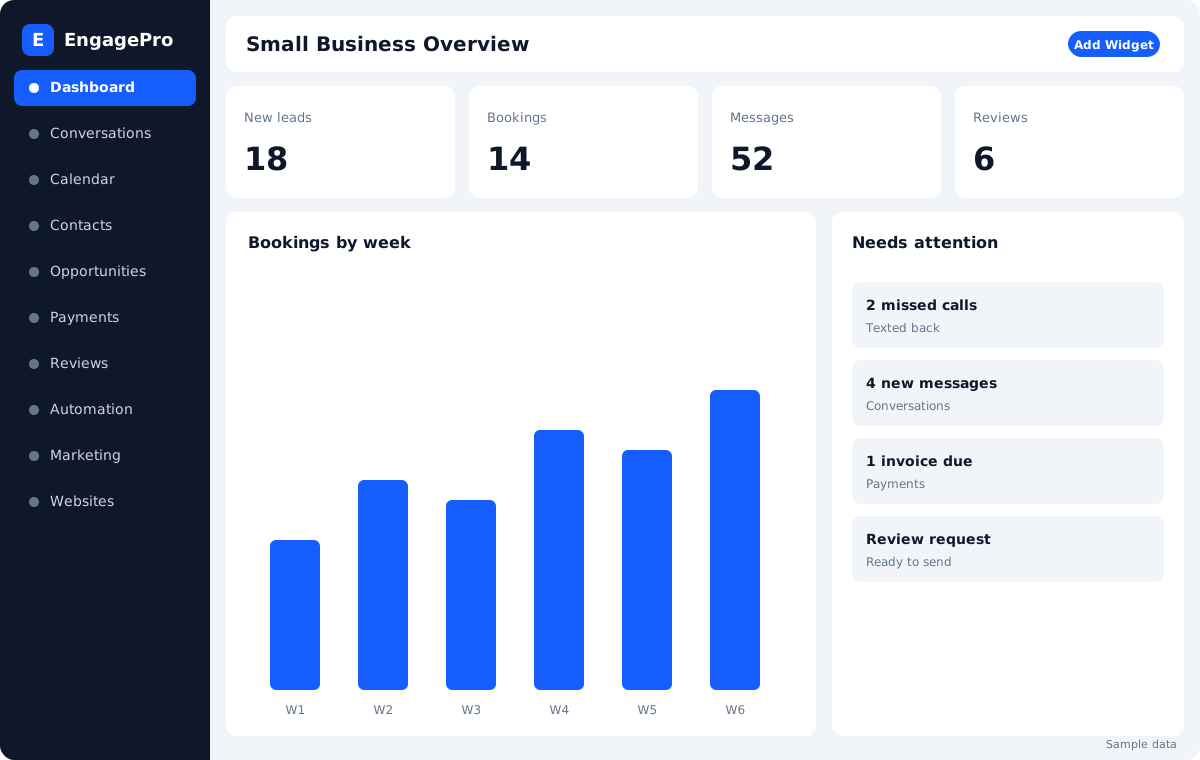
Start with the unified inbox. EngagePro’s Unified Inbox plans include two-way text and email, Facebook Messenger and website chat. If Google has added a Messenger link to your profile, those conversations can land in the same place as your texts. Your team works from one conversation history, within your plan’s user limit, and can reply from the mobile app.
Add WhatsApp only if your customers use it. WhatsApp is a $29/month add-on in EngagePro. If your customers rarely use WhatsApp, leave it off your Google profile and make text messaging your chat option.
Let the AI agent handle the first reply. The AI Text & Chat Agent responds on SMS, Facebook, Instagram, WhatsApp (with the add-on) and website chat. It answers from the website content, FAQs and files you give it. It can ask your qualifying questions, offer open times on your calendar and follow up with leads who went quiet. You choose the topics it avoids and when a person takes over, and your team can step in from the inbox at any time.
Cover calls too. Many customers who see a message button still call. EngagePro’s AI Receptionist answers calls, books appointments and transfers to your team. Missed-call text back texts callers when you can’t answer, so calls and messages end up in one thread.
Plan for texting registration. EngagePro’s FAQ notes that US business texting requires A2P registration, which must be approved before messages can be sent. Start that process early if you plan to make text messaging your Google chat option.
AI is included on every EngagePro plan. Usage is billed as you go, and an optional AI Unlimited add-on is subject to fair use. Plans start at $70/month, or $50/month billed annually, and every plan includes a 30-day free trial. See Pricing for current details.
FAQ
Did Google really add WhatsApp numbers to profiles without asking? Search Engine Roundtable reported in June 2026 that Google added WhatsApp numbers to many profiles in bulk, and a Google product expert reportedly called it a bug. Check your Contact section and remove any number you can’t answer.
How do I remove a WhatsApp number or Messenger link from my profile? Go to Edit profile, then Contact, edit the Chat field or social links, delete the entry and save. In June, users reported that deleting the bulk-added WhatsApp numbers worked once Google fixed the bug.
Can I show both WhatsApp and text messaging? You can add both, but Google’s help page says only the text message option will be shown to customers.
Do I have to pay for WhatsApp messages? If your software uses Meta’s WhatsApp Business Platform, Meta’s per-message pricing applies. Since October 1, 2026, each business number gets 1,000 free service messages a month, and Meta charges for service messages beyond that. Your software provider may also charge its own fees.
Is Google’s own AI messaging the same as WhatsApp chat? No. Google’s AI-powered messaging uses RCS through the customer’s texting app, and a Google agent answers routine questions. A WhatsApp button opens WhatsApp. They are separate features.
Should an AI answer customer messages for my business? It can handle the first reply, collect details and offer appointment times. Keep a person available for emergencies, complaints, pricing disputes and sensitive housing questions.
Do texting consent rules apply to these messages? Replying to a customer who messaged you first is different from sending marketing, but the rules depend on the channel and the situation. Confirm how they apply to your business with a qualified professional.
How often should I check my Business Profile? At least monthly, and whenever Google emails you about changes to your profile.
Conclusion
Google keeps adding ways for customers to message you, and sometimes adds them without asking. Check your profile, keep only the channels you can answer quickly, and route them all into one inbox where AI handles the first reply and your team handles the rest.
If you want help setting up one inbox for calls, texts, Messenger and WhatsApp, book an EngagePro demo or start a free trial from the pricing page.
Further Reading
- Google Business Profile Help: Chat with customers from your Business Profile
- Search Engine Roundtable: Google Local Panel Gains WhatsApp Button (Oct. 7, 2026)
- Search Engine Roundtable: Google Business Profiles Adds Facebook Messenger M.me Links (Oct. 28, 2026)
- Search Engine Roundtable: Google Business Profiles Adds WhatsApp Numbers in Bulk (June 11, 2026)
- Search Engine Roundtable: Google Business Profiles AI-Powered Messaging Expands (Oct. 29, 2026)
- Search Engine Roundtable: November 2026 Google Webmaster Report
- Meta for Developers: WhatsApp Business Platform Pricing
- Near Media: WhatsApp Now Live on US Google Business Profiles (Feb. 2025)